
Here's a question I ask every business owner who shows me their QR codes. How many people scanned it last month?
Most of the time I get a shrug. The code is on the menu, the flyer, the shop window and the packaging. It has been there for months. Nobody knows if it works.
That's a shame, because QR codes are one of the few offline channels you can actually measure. In this guide I'll show you how to track QR code scans properly, which numbers matter and how to turn them into decisions. If you're still choosing a tool, or you want the full background on why editable codes matter, read our guide on what dynamic QR codes are and the best 6 QR code generators.
This one is about what happens after you print.
Why Bother Tracking QR Code Scans?
Because printing costs money. So does the shelf space, the table tent and the poster frame.
Every QR code you put out there is a small bet. Tracking tells you which bets pay off.
Without data, you're guessing. Maybe the flyer works. Maybe the window sticker does all the work and the flyer does nothing. You'd never know.
With data, you can drop what fails, double down on what works and stop reprinting things nobody uses.
Can You Track a Static QR Code?
Not directly. And this is where most people get stuck.
A static QR code holds the final link inside the pattern itself. When someone scans it, their phone goes straight to that address. Nothing in between records the scan.
A dynamic QR code works differently. It points to a short link that a QR platform controls, and that link forwards the visitor to your real page. Because every scan passes through that short link, the platform can count it and note details like device, rough location and time.
There is one workaround for static codes. You can add tracking tags to the link inside the code and watch the visits in your website analytics. It works, but it only counts people whose visit actually loads your page, and you can never change the link after printing.
So if tracking matters to you, start with dynamic codes. Simple as that.
How to Set Up QR Code Tracking, Step by Step
1. Create a Dynamic Code for Each Placement
This is the habit that changes everything.
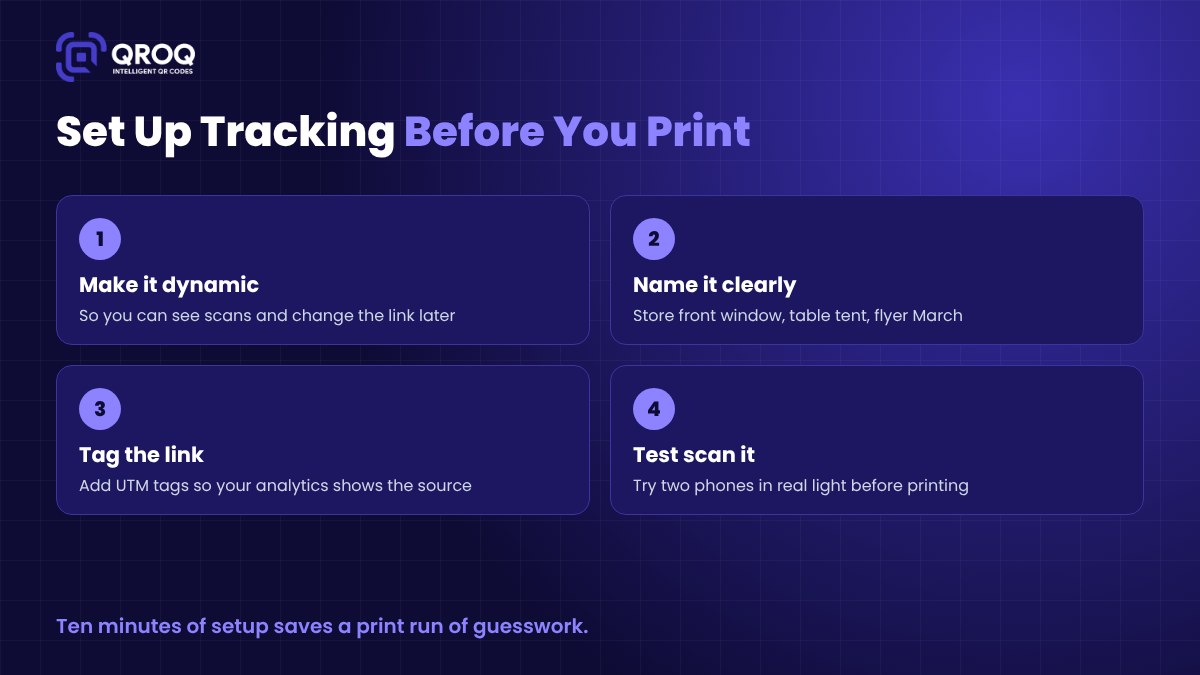
Don't use one QR code everywhere. Make one for the counter, one for the flyer, one for the delivery box and one for the trade show banner. They can all point to the same page.
Why? Because one shared code gives you one big number. Separate codes tell you exactly where the scans come from.
2. Give Every Code a Clear Name
"QR code 7" means nothing in three months.
Name codes by place and campaign. Something like "Front window, spring sale" or "Table tent, Main Street branch". When you open your dashboard later, you'll know what you're looking at without digging.
3. Add UTM Tags to the Destination Link
Your QR platform counts scans. Your website analytics tracks what people do after they land. UTM tags connect the two.
A UTM tag is just a few extra words added to the end of a link, such as utm_source=flyer and utm_medium=qr and utm_campaign=spring-sale. Tools like Google Analytics read those tags and show you how visitors from each code behaved. Did they browse? Did they sign up? Did they buy?
Keep your naming consistent. If you write "QR" on one link and "qr-code" on another, your reports will split them into two sources.
4. Test Before You Print
Scan the code with at least two different phones. Try it in the actual lighting where it will live. Check that the page loads fast on mobile data, not just on office Wi-Fi.
Then check your dashboard. Did the test scans show up? Good. You're ready.
5. Give It Time, Then Look
Don't judge a code after two days. Foot traffic varies by weekday, weather and season. Give it a few weeks before you compare placements, unless something is obviously broken.
The Numbers Worth Watching
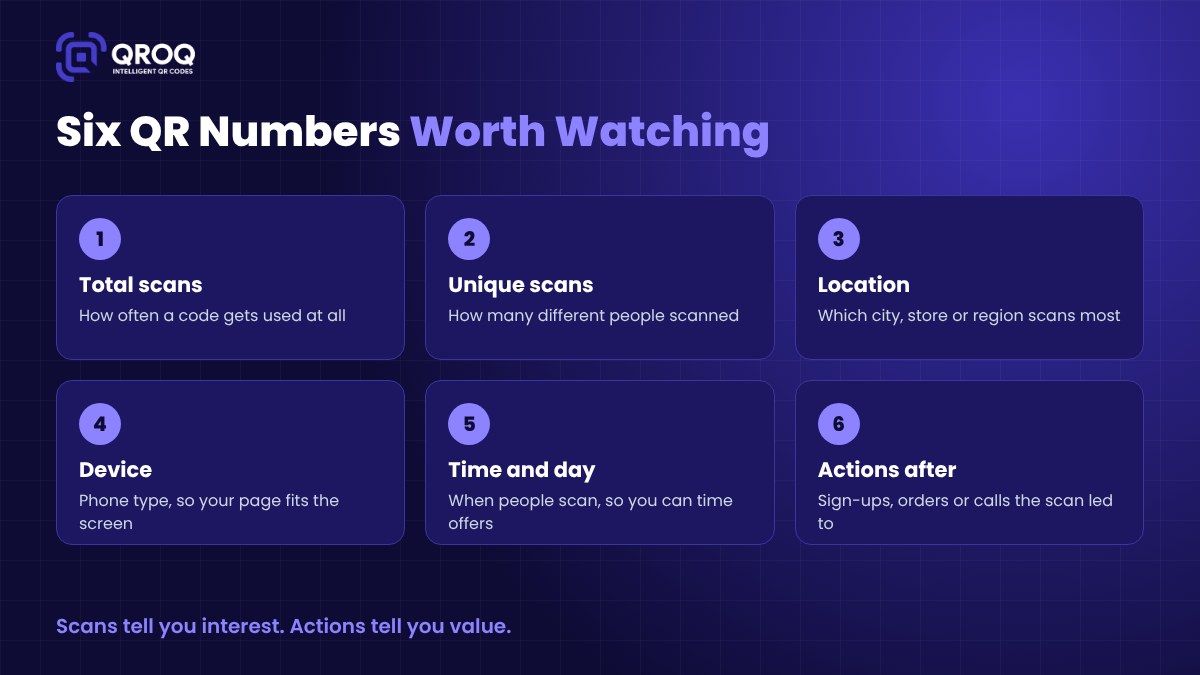
QR dashboards can show a lot. Here's what I'd actually pay attention to.
Total scans. The simplest signal of interest. If a code gets almost no scans, either people can't see it or they don't have a reason to scan it.
Unique scans. Total scans can be inflated by one person scanning three times. Unique scans give you a better idea of how many real people you reached.
Location. Useful if you have several branches or you distribute flyers in different areas. You'll quickly see which spots pull their weight.
Device. If almost everyone scans on a phone (they will), your landing page has to be built for small screens first.
Time and day. Scans at lunchtime? Late at night? This tells you when people are paying attention, which helps you time offers and staff your replies.
Actions after the scan. This is the one that matters most. A scan is interest. A sign-up, booking, order or call is value. This is where your UTM tags and website analytics earn their keep.
Turning Scan Data Into Decisions
Data is only useful if it changes what you do. Here's how I'd read it.
High scans, low actions. People are curious, but the page lets them down. Look at the landing page. Is it slow? Is the offer clear? Is the button obvious? Our post on QR code landing page tips covers this in detail.
Low scans, high actions. The few people who scan are ready to act. The problem is visibility. Make the code bigger, move it to eye level or add a short reason to scan, like "Scan for today's specials".
Low scans, low actions. Rethink the placement entirely. Maybe nobody stands still long enough to scan there.
High scans, high actions. Copy it. Put the same setup in more places and see if it holds up.
And here's the nice part about dynamic codes. If a page underperforms, you can change where the code points without reprinting anything. Try a new offer, measure again and keep what wins.
Where Tracking Pays Off the Most
Some placements give you far more useful data than others.
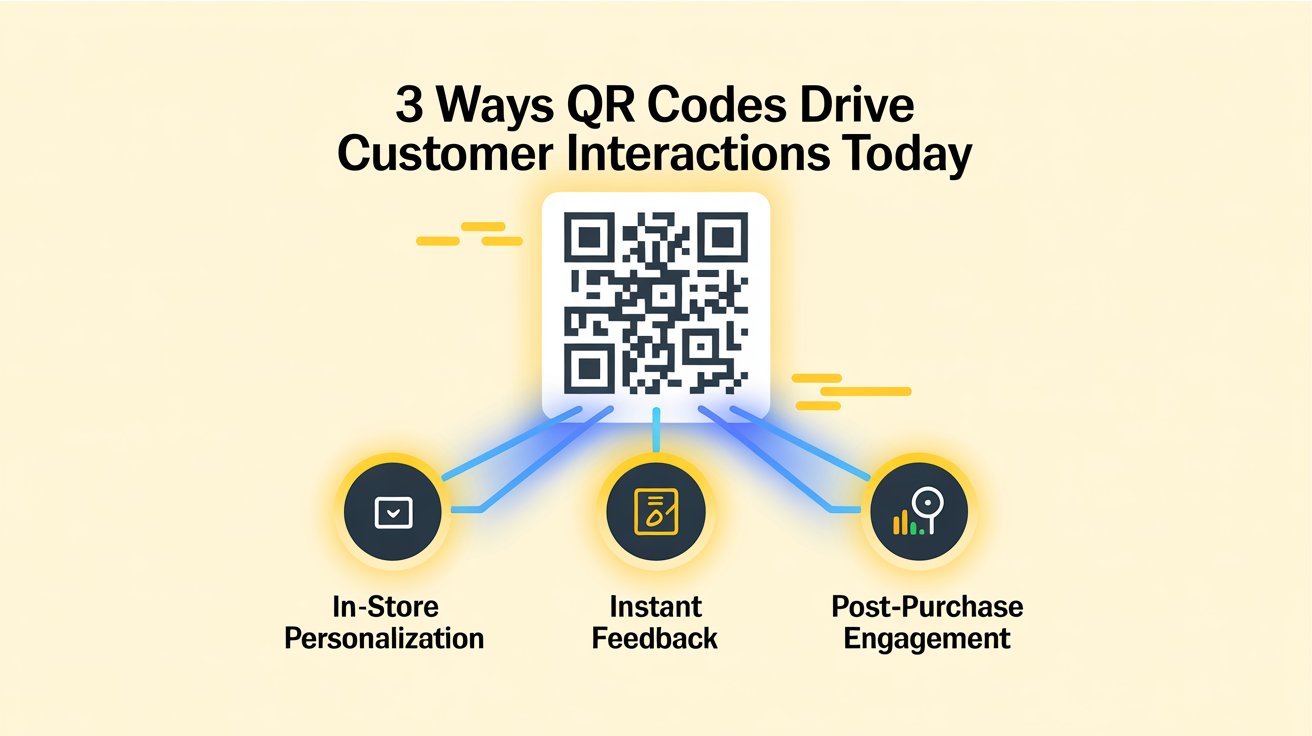
- In-store offers. Compare the window, the counter and the shelf. You'll learn where customers actually look.
- Feedback at the point of service. Track how many people scan a feedback code after a visit, and whether changes you make raise that number.
- Packaging and post-purchase. Codes on boxes and receipts show you how many buyers come back for guides, reorders or loyalty programs.
- Events and print ads. Give each event or publication its own code and you'll know which one was worth the money.
Want more ideas for where to put codes in the first place? Our post on creative ways to use QR codes in your campaigns has plenty.
Common Tracking Mistakes to Avoid
- Using one code for every placement, so you can't tell them apart.
- Printing static codes and then wishing you could see the numbers.
- Forgetting UTM tags, so scans show up in analytics as random direct visits.
- Sending people to a desktop homepage instead of a mobile page built for that code.
- Collecting data and never opening the dashboard.
That last one is more common than you'd think. Put a monthly reminder in your calendar. Fifteen minutes is enough.
How Qroq Makes QR Tracking Simple
We built Qroq so small businesses could do all of this without stitching five tools together.
You can create both static and dynamic QR codes. The dynamic ones let you change the destination anytime without reprinting, and they come with analytics that show how many scans you get and details like location, device and time. Dynamic codes also use built-in short links, which keeps the pattern clean and easy to scan.
It also solves the "where do I send people" problem. Qroq includes a point-and-click QR page builder, an AI page creator and dozens of ready templates for menus, profiles, link-in-bio pages, feedback forms and more. Pages are hosted for you, so you don't need a website or a domain. You can even capture leads from a QR page and export them as a CSV.
And yes, your codes can carry your logo and brand colors.
Qroq costs $6.99 a month or $67 a year.
Final Thoughts
A QR code you can't measure is just decoration.
Make your codes dynamic. Give every placement its own code and a clear name. Tag your links. Then actually look at the numbers once a month and act on them.
That's it. No big budget, no data team.
If you're still picking a platform, start with our guide to dynamic QR codes and the best 6 QR code generators. Then come back here and set up your tracking before the first code goes to print.
FAQs About Tracking QR Code Scans
Can I see who scanned my QR code?
You can see useful details like device type, rough location and time of the scan. You won't see a person's name or contact details unless they choose to share them, for example by filling in a form on your QR page.
Do I need Google Analytics to track QR codes?
No. A dynamic QR platform counts scans on its own. Website analytics with UTM tags adds the second half of the story, which is what people did after they landed.
Why don't my scan numbers match my website visits?
Some people scan and close the page before it loads, and some block analytics. Small gaps are normal. A large gap usually means a slow or broken landing page.
Can I add tracking to codes I've already printed?
If they're static codes, no. The link is baked in. If they're dynamic, the tracking is already there, and you can change the destination link whenever you like.